
Wondering what your posts will look like when you publish? Don’t fret: you can preview your posts before publishing them directly in Postful.
How to preview a post #
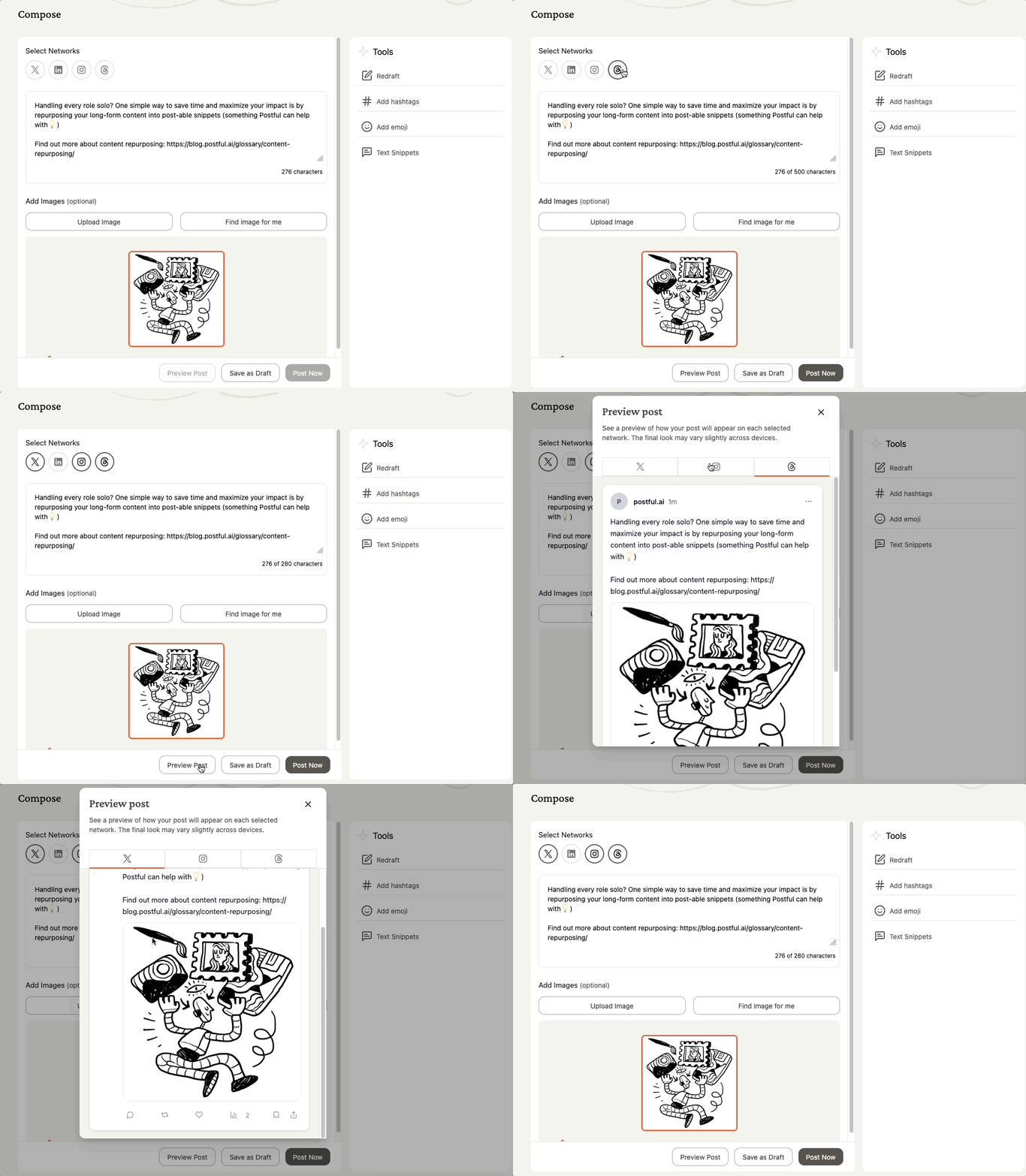
- In the Compose page, select at least one network.
- Click Preview in below of the editor (left of Save as Draft)
- A modal will open showing how your post will look across the networks you selected.
Additional Notes #
- You must have at least one network selected to preview. Find out more about the networks Postful supports.
- The preview may render slightly from the final published version, since each social network may render posts differently.