
The Add Emoji tool helps you quickly add personality to your posts. By analyzing what has been written, the tool generates a set of emojis for easy copy-and-paste.
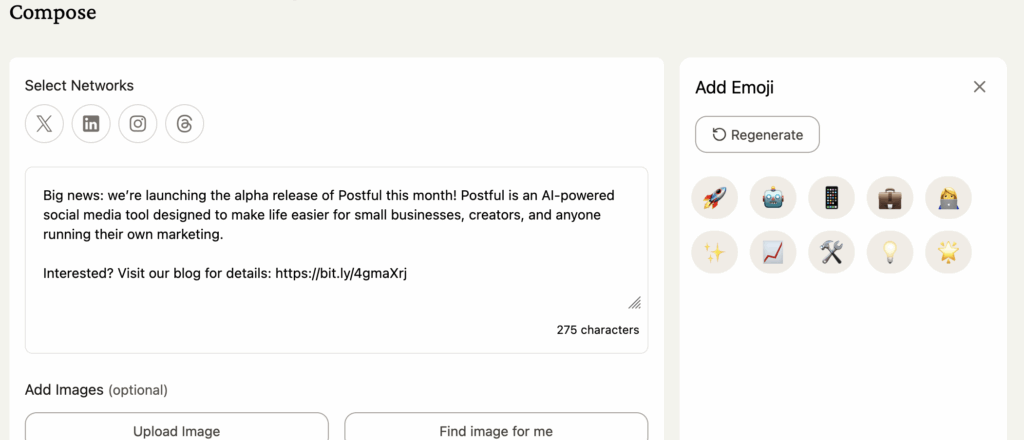
Generating a set of emojis #
- Go to the Compose page.
- In the Tools panel (right of the text editor), click Add Emoji.
- Postful will suggest a set of emojis based on the text of your post.
- Note: When text written in the text editor is sufficiently updated, a different set of emojis will be created
- Click any emoji to copy it to your clipboard, then paste it directly into your post.
Additional Notes #
- Suggestions are context-aware, so they change depending on your post.
- Postful also works with native emoji keyboards.