
Postful’s Redraft tool helps you quickly adapt text so you are never stumped with what to write. Redraft posts for different audiences or tones without starting from scratch, and edit the results to make them your own.
Redraft Posts using your Audience Segments #

- Go to the Compose page.
- With text in the Compose text editor, click Redraft in the Tools panel.
- Postful will generate one variation of your post for each of your saved Audience Segments. You can regenerate options by clicking the button labeled “Regenerate” at the bottom of the available cards.
- Note: You can view your Audience Segments by clicking “Audience & Profile” in the left sidebar.
- Each variation appears as a card. Click a card to copy it to your clipboard, then paste the text in the Compose text editor.
Redraft Posts for different Tones #
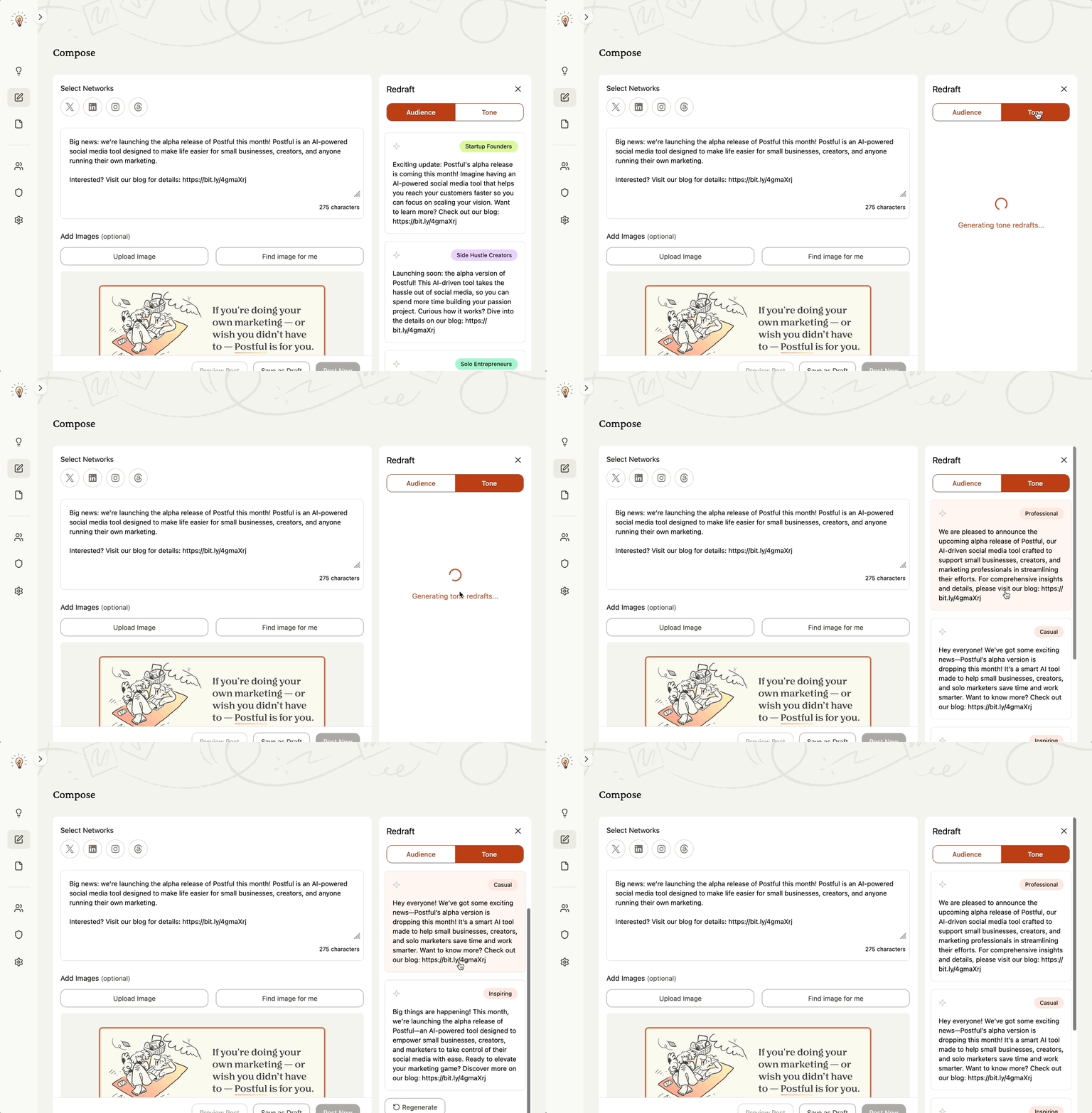
- After selecting the Redraft tool, select Tone in the Redraft panel.
- View and choose from the available tones.
- Postful will generate variations of your post that match the tone you selected. You can regenerate options by clicking the button labeled “Regenerate” at the bottom of the available cards.
- Click a card to copy it to your clipboard, then paste the text in the Compose text editor.
Additional Notes #
- Audience-based redrafts and tone redrafts are designed to save you time while keeping your posts relevant. Be sure to check the writing for accuracy and brand alignment.
- More customization options are coming soon, including finer control over tone and audience settings.